

|
| I've seen that some of your postings are clickable thumbnails. I use PHOTOBUCKET as a repository for my images. I've tried all 4 of the available links, only one of them produces a picture here, and it is always full size. In order to be more polite to those with slower connections, I'd like to post clickable thumbnail images. Can anyone enlighten me as to how to accomplish this with photobucket? |
Follow-Up Postings:
|
- Posted by cactusjordi z10 CA (My Page) on Sun, Mar 7, 10 at 13:15
|
- Posted by rosemariero6 z11 /ss24 So. Calif. (My Page) on Sun, Mar 7, 10 at 13:30
| Dav4vid, I think you've been using the 4 links directly under each pic in PB. What you want to do is put a checkmark in the box under the photos you want & then go to the bottom right of the page & click on the button that says: "Generate HTML and IMG code". Once the page of code shows up, copy & paste the top selection, under where it says: "HTML clickable thumbnails for Ebay, Livejournal, MySpace, etc. - recommended". All you need to do is click on the code in the box once & it will highlight the whole thing, then right click your mouse & select copy. Go to your post, right click & paste it. |
|
| I've been wondering the same thing. |
|
| Ah! It looks like this setting changed the default settings for all the pictures in your album. Nice if that' that's what you want. Thanks for the tip! Sandra |
|
- Posted by norma_2006 (My Page) on Sun, Mar 7, 10 at 15:51
| Sandra if this works to get the pictues posted right here that would satisfy me as well, I just want to share pictures for the group. Norma |
|
- Posted by rosemariero6 z11 /ss24 So. Calif. (My Page) on Sun, Mar 7, 10 at 16:04
| Hoov, is that YOUR A. 'Blue Glow'??? Tell me where you live, so I can come visit you after dark! Hee hee hee! I have one that is about 3 inches wide now. That one is fabulous! Sandra, I'm not sure what you mean by: "this setting changed the default settings for all the pictures in your album". It hasn't changed my default settings. How do you think it has changed? Norma, have you tried using the thumbnail feature in Photobucket yet? |
|
|
| OK that worked. THANK YOU! But cactusjordi's link opened JUST a picture. All the others including mine opened a photobucket page INCLUDING the picture. Also mine was centered, two of the others were left justified. I might be able to figure out those details on my own, but at least now the 'dial-up' people can stop complaining about load times on my postings. |
|
- Posted by paracelsus (My Page) on Mon, Mar 8, 10 at 16:16
| David and others, to stop links from opening your album page, you need to make a change in your Account Settings. From the MY HOME page, the "Account Settings" link takes you to a page where you can change your personal information and password, see how much of your free storage space is being used, and how much bandwidth is used when others click on your links, and your "Album Settings" preferences. In the "Album Settings" section, set your Album to Private if you don't want others to see you images by simply searching Photonet by keywords. For example, if your album is set to Public, then anyone in the world can see all of your images with a title or description containing, for example, the word Agave. MOST IMPORTANT, uncheck the "Images Link Back to Album" radio button. This will make your thumbnails and full size images display without showing your personal album page. You can also uncheck the "Allow others to copy my media" button to make copying your images more difficult. Also useful is the "Link Options" link in blue at the bottom of the pop-up window beneath each image showing the code for posting links. You can check or uncheck the various kinds of code that will be shown for your images depending on you personal needs. For this board, all you need is the "HTML for websites and blogs" code. Make sure both thumbnail and full size radio buttons are checked. All the other code is useful for posting links on other sites, but is not necessary for this board. Uncheck the other kinds of code if you are only trying to post links here. This will make finding the right code easier by eliminating the code you don't need. Lastly, underneath the big blue bar for "Upload Images and Video" button is a small blue link called "more options". Clicking this takes you to a page that allows you to select the way large uploads are resized for web display. A maximum of 800X600 pixels is all you really need for web display, and will keep the space required to store images at a minimum. At the bottom of that page you can select or deselect the options for "Scramble filenames so nobody can guess your links", and "Add more tags and descriptions after upload", which is a very useful feature to have. I hope this helps. I know it sounds complicated, but once you have your preferences set the way you want, you will not have to worry about this stuff again. Brad |
|
- Posted by paracelsus (My Page) on Mon, Mar 8, 10 at 16:32
| I forgot a couple of useful, but not essential tips. The code that is generated for thumbnails begins with < center > (without the spaces). At the end of the code is text that reads < / center >. Delete that code from the links so all of your thumbnails will line up on the left. Then, delete the carriage return between each thumbnail code leaving a single space, and you can line up thumbnails in a row. Put a carriage return in between each set of three-four thumbnails to create a matrix of thumbnail links the way I did in this thread: Clumps. How to write code for creating short links like the one directly above is a topic for another day. Maybe someone else would like to explain how to do that :) Brad |
|
- Posted by greenman28 Nor Cal 7/8 (My Page) on Mon, Mar 8, 10 at 20:25
| Thanks, Brad. I've been wondering where to find those settings. |
|
| Just a s test to see if I got everything Brad was trying to teach me, here is my collection of Agave photos: By cracky, I think I've got it! |
|
- Posted by greenman28 Nor Cal 7/8 (My Page) on Mon, Mar 8, 10 at 20:52
| Crackin'! Josh |
|
- Posted by paracelsus (My Page) on Mon, Mar 8, 10 at 22:00
| Fantastic. Glad I could help guys! :) Here is how to post links with any text you choose: < a href=www.whatevertheaddressmaybe>ANY NAME HERE< /> In order to make this visible, I inserted a space after each of the < brackets. Just delete the spaces, insert a link to a picture or other web page, give it a name, and post. You can also insert a photo without requiring any clicks by using the IMG code. For details on this and other cool things like changing text color and size, read How do I use HTML Code to change fonts and insert stuff in posts? Happy posting! |
|
|
| I did everything but the image still comes out large This is frustrating! I must be doing something wrong. |
|
| Hi Norma, Don't worry. We'll get you set up and running as soon as I can make my way up north. rosemariero6, When I changed the settings I unchecked all options except the thumbnail so the other ones are not displayed. duh!!! lol Thanks for the instructions. Sandra |
|
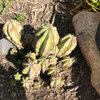
| Oh, forgot to address the plant type. Sorry but I don't know what it is. I thought it was some kind of echevaria. I was going to post the picture to share the blooms with the group. I expected red flowers... Is the flower spike supposed to look like that? Drooped over? Sandra |
|
- Posted by paracelsus (My Page) on Mon, Mar 8, 10 at 23:46
| Yaslan, go back to your Album Settings and uncheck the "Images Link Back to Album" radio button. This will make allow a full size images display without showing your personal album page. Second, you are using the wrong code. You need the HTML code labeled HTML Code: for full size image display. Use the code labeled HTML Thumb: to display a thumbnail image that clicks to the larger version. Since your Album is open for me to see, I can see the correct code to use on the left side of the page: Be patient. You will figure it out soon. You can use the Preview button when postingto see if your pasted code works properly before it becomes a permanent submission. |
|
|
| paracelsus - Thanks for your patience. You've been very helpful. I've learned something new today (I was copying the 2nd code and not the 1st). I thought I already unchecked "Images Link Back to Album". I looked again and it's unchecked. -Bo |
|
- Posted by greenman28 Nor Cal 7/8 (My Page) on Tue, Mar 9, 10 at 2:08
|
| Thanks Rosemarie for your great intructions! One more question,please...how do you get it to just show one specific picture? When I tried it, it worked but it takes you to my whole album. I know I'm doing something wrong. Thanks! |
|
- Posted by rosemariero6 z11 /ss24 So. Calif. (My Page) on Tue, Mar 9, 10 at 19:06
| puglvr, You're welcome. :) Glad to help. Brad explained above how to do that. Check his response (paracelsus) post from Mar 8 at 16:16 for instructions. |
|
| Oops so sorry...I never even read that post. My mistake! Thanks Rosemarie and Brad. I will read it carefully and hopefully will figure it out. Appreciate it. |
|
|
- Posted by norma_2006 10 (My Page) on Sat, May 12, 12 at 22:57
| Rosemarie, if you can get here I will give you my Blue Agave, I really don't want the plant, how large will it get? I have a tiny garden. That is why I don't want this plant. I also don't want the spin to stick me, I fall too often trying to pull a weed out. Norma |
Please Note: Only registered members are able to post messages to this forum. If you are a member, please log in. If you aren't yet a member, join now!
Return to the Cacti & Succulents Forum
Instructions
- You must be a registered member and logged in to post messages on our forums.
- Posting is a two-step process. Once you have composed your message, you will be taken to the preview page. You will then have a chance to review the contents and make changes.
- After posting your message, you may need to refresh the forum page in order to see it.
- It is illegal to post copyrighted material without the owner's consent.
- HTML codes are allowed in the message field only.
- No advertising is allowed in any of the forums.
- If you would like to practice posting or uploading photos, please visit our Test forum.
- If you need assistance, please Contact Us and we will be happy to help.