




Buttercups
mosswitch
14 years ago
Related Stories

HOUZZ TOURSHouzz Tour: Surfing Inspires a Metal-Happy San Francisco Loft
Surfboards, graphic wallpaper, a propeller and a little pink push this apartment out of obscurity
Full Story
YELLOWColor Guide: How to Work With Bright Yellow
Let the sunniest color on earth add a burst of energy to your rooms — and we're not just talking with pillows
Full Story
SHOP HOUZZShop Houzz: 3 Ways to Rock a Vibrant Yellow Sofa
Get onboard with bold yellow for a showstopping sofa — plus a cast of sophisticated accents
Full Story
GARDENING GUIDESHow to Switch to an Organic Landscape Plan
Ditch the chemicals for a naturally beautiful lawn and garden, using living fertilizers and other nontoxic treatments
Full Story
COLORBest Ways to Use the Soft Yellow Color of 2014
You may fall for PPG Pittsburgh Paints’ Turning Oakleaf if you like your hues warm, mellow and cheery
Full Story
GARDENING GUIDESGreat Design Plant: Milkweed
Quit cringing. This not-weed plant is a sight to behold in the garden, has a delicious vanilla scent and is a magnet for butterflies
Full Story
EDIBLE GARDENSNatural Ways to Get Rid of Weeds in Your Garden
Use these techniques to help prevent the spread of weeds and to learn about your soil
Full Story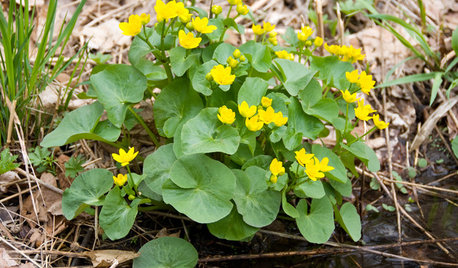
NATIVE PLANTSGreat Design Plant: Caltha Palustris Is a Welcome Sign of Spring
Brighten your rain garden or pond edge in spring with marsh marigold
Full Story
APARTMENTSMy Houzz: High Style and Discount Finds Mix in a San Francisco Rental
With combined styles, an elegant palette and a stellar bay view, this hilltop apartment is a vision of loveliness
Full Story
GARDENING GUIDESGreat Design Plant: Bugle Weed, a Quick Ground Cover
It’s highly adaptable, suppresses weeds, reduces erosion and provide weeks of bright flowers. Just watch for invasiveness
Full StorySponsored
topie
mosswitchOriginal Author
Related Discussions
any difference between buttercup squash and burgess buttercup?
Q
Is This Early Buttercup?
Q
When life gives you Buttercups (Spode that is)...
Q
Which Buttercup please
Q
topie